Drivers & garages
For buyers
Need a spare part?
- Describe the part once, not on every call
- Photos show exactly which part you mean
- Hear back from suppliers who stock it
- Chat in the app, or move to WhatsApp

No more calling shop after shop
Tell us what you need, choose your vehicle, add photos, and connect directly with suppliers who can help — without wasting time searching everywhere.
Available on iOS & Android · Post your first request in under a minute
See how it worksWhy MTA
How MTA works
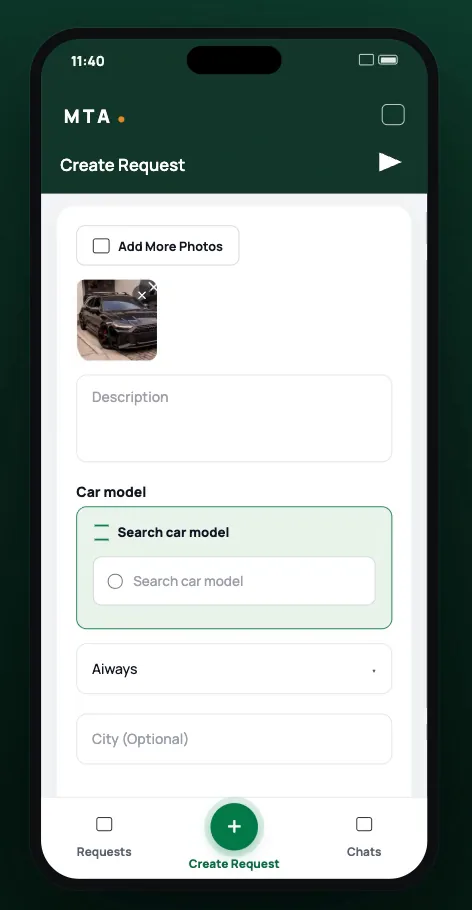
Add a photo and a line about what you need.
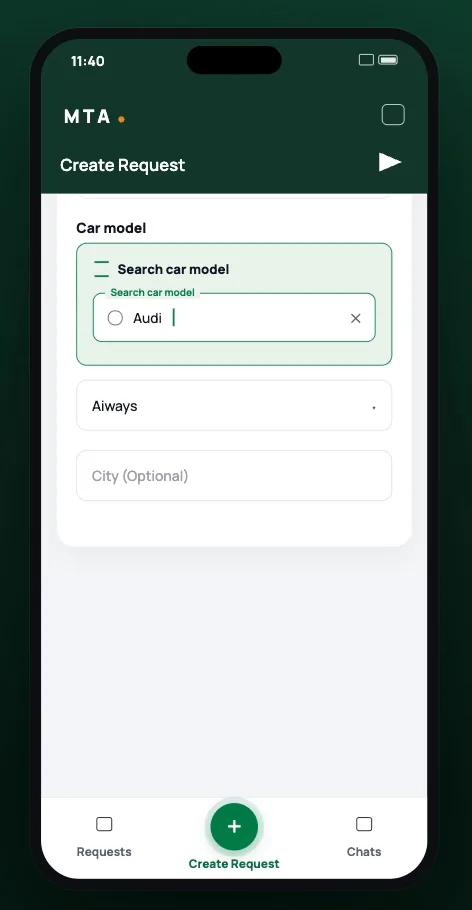
Search any make and model, and add your city if you like.
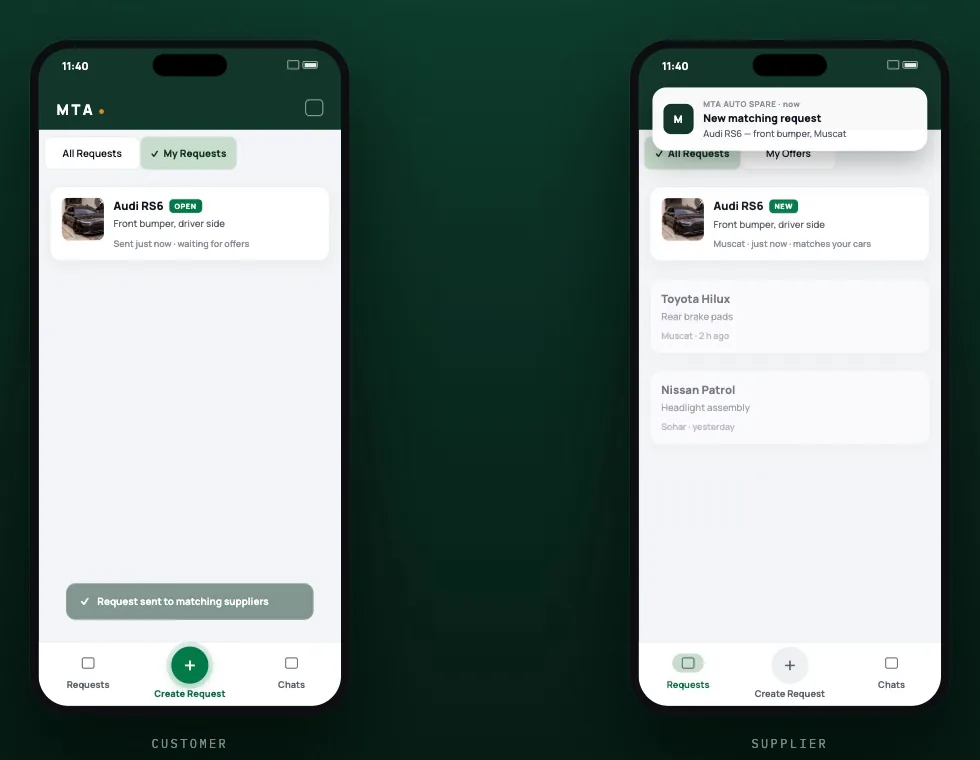
It goes to suppliers matched to the cars they stock. Chat with them in the app or on WhatsApp.
Describe it once.The suppliers who have it answer.
The marketplace
MTA connects the people looking for a part with the people who already have it on the shelf.
Drivers & garages
Need a spare part?
Parts shops & dealers
Have spare parts to offer?
Questions
Open MTA, add a photo and a short description, choose your car’s make and model, and send. Adding your city is optional.
Suppliers who stock parts for your car get notified about it.
They reply in the app chat, where you can send text, photos and voice notes. You can also continue on WhatsApp in one tap.
Send a clear photo and say where it sits on the car. Suppliers can ask you questions in chat before they offer anything.
Yes. Download MTA and set up your supplier profile. You’ll see requests for the cars you stock and can reply to buyers directly.
iPhone, from the App Store, and Android, from Google Play.
Download MTA and post your first spare-part request in under a minute.